What's Your Success?
RFID Warehouse Tracking Software
Scan thousands of items in seconds.
RFID is probably cutting down our cable return time to maybe a third compared to barcode scanning. It’s saving us hours beyond what we anticipated.

Scan Less, Do More

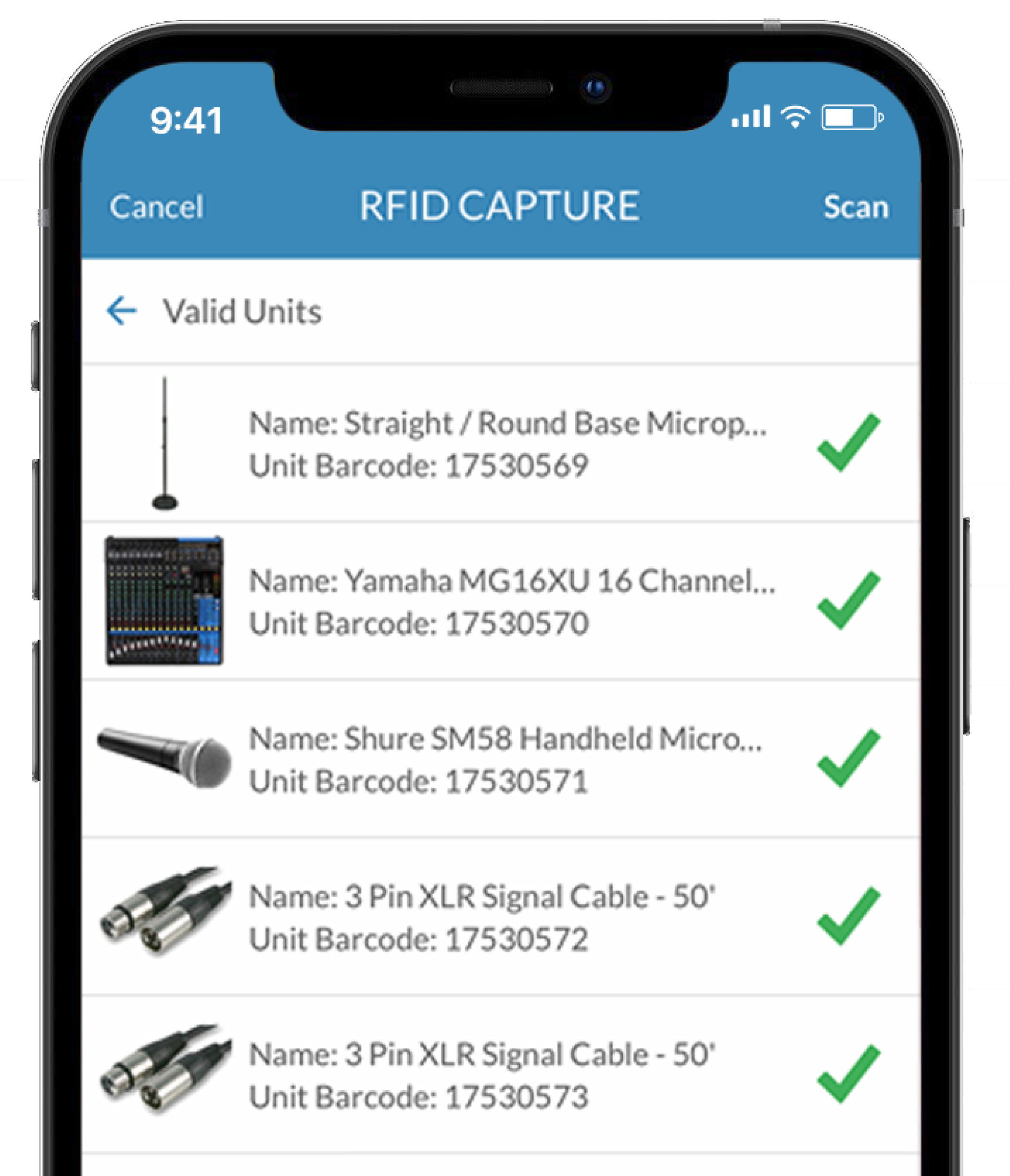
Your favorite inventory tracking apps now come with RFID.

Real-time data accuracy

Reduce costs of asset scanning

Move towards a more efficient warehouse

Deliver 2x ROI or more for your business.
See how it works.
Learn how Flex’s RFID Proof of Concept Kit can get you quickly started with an all-in-one package and watch Flex CEO Chris Stein review the latest in RFID technologies you’ll receive as part of the kit.

Recognize the benefits of RFID with Flex
Reduce Costs
Reduce Scan Time
Up to 10x Speed Improvement!
Missed the Webinar?
Here’s Everything in One Place.
Watch the full recording, get Chris’s summary of the biggest themes, and see what 100+ live event professionals said about where they are in their RFID journey.
Frequently Asked Questions
Getting Started with RFID
AV equipment tracking software records the location, status, and movement of every piece of audiovisual equipment — from warehouse storage through job deployment and return. Traditional tracking uses barcodes that require individual line-of-sight scanning of each item. RFID improves AV equipment tracking by reading hundreds of tags simultaneously without line-of-sight, enabling bulk scanning of entire truckloads in seconds rather than minutes. For AV rental operations managing thousands of serialized items across multiple simultaneous productions, RFID transforms tracking from a manual warehouse task into an automated, real-time visibility system.
Flex is a cloud-based SaaS (Software as a Service) solution. There is no on-premises installation required , your team accesses Flex via web browser and the Flex5 Mobile App on iOS or Android devices.
RFID is an add-on module within Flex. Your core Flex subscription covers barcode/QR scanning and inventory management. RFID capability is layered on top of that. Contact sales@flexrentalsolutions.com to discuss adding RFID to your account.
The RFID Proof of Concept Kit is designed to give you everything you need to get started quickly and confidently. It includes a Flex Scan Pro all-in-one RFID reader with charging station, fully pre-configured to work seamlessly with Flex so you can begin testing right out of the box. The kit also includes a variety of RFID tags to help you evaluate real-world performance across different asset types in your warehouse, including cable tracking tags and housings in two sizes (10 of each), multiple label types from two different manufacturers (four variations, 10 of each), and flexible, washable tags designed for soft goods like drapes and linens. The goal of this kit is to give you hands-on experience across a range of use cases, allowing you to test read range, durability, and performance in your actual environment so you can determine which tag types and manufacturers are the best fit for your operation before making larger purchasing decisions.
At this time, Flex is only able to sell RFID hardware within the United States. For customers outside the U.S., we recommend working with a regional distributor who can support your location. In Europe, we have a trusted partner in the UK that you can reach out to for assistance with Seuic AUTOID UTouch 2 UHF RFID Reader and Charger hardware. You can contact Jimmy Bhagwagar at jimmy@jmprime.co.uk, and they can help guide you on sourcing hardware appropriate for your region.
No, what you’re actually doing is converting a non-serialized model into a serialized one. Once that change is made, you begin creating individual units under that model, each with its own barcode and RFID tag. This gives every item a true unique identifier per unit, rather than one barcode for the model with a quantity scanned. The benefit is that you move from simply counting quantities of non-serialized items to tracking each unit individually, while also gaining the speed and efficiency of RFID for scanning and validation.
It doesn’t significantly change the existing process. You still scan the case in container builder mode to identify which case you’re working with, then add contents using either RFID reads or barcode scans. Once complete, you scan the case again to close it. For serialized packages with permanently assigned contents, those relationships remain intact, so when a case is scanned back in from a show, the system retains the expected contents. RFID simply provides a faster way to build what’s inside, while maintaining the same structured workflow you use today. So you don’t need rfid for contents if they are staying intact but you can use them also.
RFID in Flex is used at the unit level, which means it applies to serialized models only. For non-serialized items, the process is to convert the model to serialized, and then create individual units with their own barcode and RFID tag assigned. Once that’s done, those items can be tracked and scanned using RFID, rather than just being counted as bulk quantities.
Hardware & Scanners
An RFID tag isn’t a replacement for a barcode, it’s a complementary identifier assigned to each serialized unit. In most cases, we recommend that every unit have both a barcode and an RFID tag. This gives you flexibility in how you track and manage inventory: RFID enables fast, bulk scanning and automation in the warehouse, while the barcode provides a reliable fallback if a tag is damaged or if you’re in the field without access to an RFID reader. This dual approach helps ensure accuracy and continuity across different workflows and environments.
Where you purchase RFID hardware depends largely on your geographic location. For U.S.-based customers, Flex offers the Flex Scan Pro, which comes pre-configured and ready to work out of the box with Flex. For international customers, we typically recommend purchasing scanners through a regional distributor, and we provide configuration documentation to help get the device set up properly within Flex. As for RFID tags, these can often be sourced directly from manufacturers such as HID Global or through their distribution partners. Another good resouce for buying different test tags is https://www.atlasrfidstore.com. They have
No, RFID operating frequencies are regulated by government agencies and vary by country. In the U.S., RFID systems are designed to operate within the approved frequency bands, and those cannot be changed to avoid interference. Tags and readers are manufactured to comply with these regional regulations, so you can’t request U.S. hardware to operate on a different frequency band.
No, the configuration tools are not separate downloads, they come pre-installed on the device. The scanner includes three main apps: a UHF app for RFID configuration, a scan app for barcode settings, and the Flex app itself. The UHF app is used to configure key device behaviors such as launches on startup, whether RFID reads trigger vibration (enabled by default) or sound feedback (disabled by default), how data is sent to applications (Focus Mode with an “Enter” appended to each read), and RFID power levels (typically adjustable from 1–33 dB). These settings are preconfigured when the device is delivered. The scan app provides similar configuration for barcode scanning. Together, these apps allow you to seamlessly read both barcodes and RFID tags directly within Flex. In most day-to-day use, the only setting that typically needs adjustment is the RFID power level.
The Flex Scan Pro includes two batteries: a removable battery in the handle that powers the RFID reader and scanner, and an internal battery that powers the Android device. Both batteries charge simultaneously when the unit is placed in the charging cradle or connected via USB-C. A full charge will typically last a full working day, though actual battery life will vary depending on usage and RFID power settings.
The Flex Scan Pro is an all-in-one, integrated device where data from both the barcode scanner and RFID reader is sent directly to applications running on the built-in Android device. It is not designed to function as an external input to a PC and does not offer connection options like Bluetooth for pairing with desktops or other devices. For customers who need that type of flexibility, alternative hardware options, such as the Zebra RFD40, can connect via Bluetooth to phones, tablets, or laptops. If you’d like to explore those options further, we’d be happy to set up a call to review what would work best for your setup.
Tags & Tagging
It depends on the specific tag, there isn’t a single standard for weather resistance across all RFID tags. Some are fully encased and designed for harsh environments like oil and drilling operations, where they’re exposed to extreme weather, moisture, and rough handling. Others are more basic labels intended for indoor use and won’t hold up as well outdoors. For applications like lumber or other outdoor industries, we recommend selecting tags specifically designed for those conditions and confirming durability, material, and rating directly with the tag manufacturer or vendor.
Yes, there are RFID tags designed specifically for use on or with glass, but it’s important to use the right type of tag for that surface. Standard RFID tags don’t always perform well on glass because materials like glass and liquids can affect RF performance, so specialized tags are often required. For example, there are RFID “windshield” or glass-surface tags that use adhesives and antenna designs optimized for glass, allowing reliable reads through the material. There are also encapsulated “glass tags” (a different concept) where the RFID chip is sealed inside a glass housing for durability, these are commonly used in industrial or harsh environments and can be mounted or embedded into equipment. The key takeaway is that glass is a more challenging material than something like plastic or wood, so tag selection matters more. The best approach is to work with your tag vendor to choose a tag specifically designed for glass and test it in your real-world environment to confirm performance.
These tags are designed to be very robust and hold up well in real-world use. Customers have been using cable tags and collars for years without significant wear and tear. The RFID inlay is housed inside a protective casing, which helps shield it from typical handling, coiling, and transport. Under normal use, you can expect them to last for the lifetime of the asset. Of course, like anything, they’re not indestructible, extreme conditions like being run over by a forklift could damage them, but in day-to-day operations, they perform very reliably and do not commonly fall off or break.
In theory, you could 3D print a housing, but the commercial tags we recommend are engineered not just for fit, but for durability and RF performance. These are designed to have a long lifespan in real-world usage. There may also be intellectual property considerations when copying existing designs. If cost is a concern, we’d recommend working with tag manufacturers to find the right balance of price, durability, and performance rather than trying to replicate them.
Microphones are some of the most challenging items to tag with RFID, and the best approach depends on the type of microphone. Wireless beltpacks and handheld transmitters can often use RFID labels successfully, but we recommend testing sample tags first to confirm performance. Wired microphones are more difficult. Placing a tag inside the grille or element housing to hide it can affect the microphone’s frequency response, while placing a tag inside the body through the XLR connector typically results in poor read range because the tag is enclosed by metal. The smallest option I’ve found that may work is a very small, thin tag originally designed for medical instruments, such as the HID Sentry Instrument UHF RFID Tag, which could potentially be epoxied to the microphone housing. https://www.hidglobal.com/products/sentry-pcb-tag. In general, microphones require more testing and care than most other asset types to find a tagging approach that balances performance, durability, and discretion. The other way to track them is small 1/3 inch 2d printed barcodes inside the xlr connectors. Contact sales@flexrentalsolutions.com for pricing on those.
Yes, there are a few vendors we highly recommend based on experience in the live event industry. HID Global offers an extremely wide variety of tag types, including options like Sentry Cable tags, labels, and tags designed for linens and drapes. A great contact there is Lisa Moore (lisa.moore@hidglobal.com), who specializes in the AV industry, having someone who understands real-world use cases in our space is incredibly valuable. Another strong option is Metalcraft, which is highly recommended for durable barcode labels, with or without embedded RFID. A great contact there is Tonya Ristau (tonyar@idplate.com). For customers looking to explore and test different tags, atlasRFIDstore is a great resource. They offer smaller sample packs so you can evaluate different tag types before committing. Just be sure to select UHF tags that operate in the appropriate frequency band for your region (in the U.S., typically 902–928 MHz).
For all cable, Flex recommends the Vizinex (HID Global) Sentry Cable Tag with housings. The ideal size is typically the 1/3” diameter opening for standard XLR cables. These are screw-together housings that clamp around the cable and protect a passive UHF RFID inlay, designed specifically to withstand real-world handling. This included a opening to captivate tie line to secure the coiled cable. The housings are also shaped with angled edges so they don’t snag when pulling cables through bundles. Housing sized go from.33″ diameter opening up to 1.3″. Pricing varies based on housing size, order volume, and whether you include printed elements like barcodes or logos on the tag. Generally, UHF RFID inlays range from about $1.00 to $2.00 per tag, and the housings are in a similar range depending on size and quantity. For more information and purchasing, you can reach out to Lisa Moore, lisa.moore@hidglobal.com at HID Global.
The average cost for metal-compatible RFID label tags can vary depending on several factors, including the material (basic label vs. heavy-duty protected tag), whether color printing or branding is included, and the quantity being purchased. In general, UHF RFID labels for larger assets typically range from about $0.50 to $2.00 per tag, with higher durability and customization options increasing the cost. A great contact there is Tonya Ristau (tonyar@idplate.com).
Scanning Accuracy & Best Practices
UHF RFID typically has a read range of about 3–15 feet, depending on power settings, tag type, and environment. Because of this, running at full power is often not ideal, RFID can read farther than you actually want, increasing the chance of picking up unintended tags. The goal is to create a controlled read environment where only the items you intend to scan are within range. In practice, this means lowering the scanner power and aiming the anttena away from other tags during scanning workflows. The Flex Scan Pro allows you to adjust power levels to dial this in. It’s also important to consider whether you’re scanning loose items or items inside cases, penetrating into cases often requires higher power, which can increase the likelihood of reading adjacent items and may require additional spacing to maintain accuracy.
For content building today, we still recommend using barcodes for cases as part of the workflow. Scanning the case barcode tells the app exactly which case you’re working with and, when using container mode, displays the required contents to complete that case. Once the items are added, you scan the case again to close it out. This intentional use of barcodes to open and close a specific case ensures accuracy and provides a fast, structured workflow across different case types. It also keeps the process consistent when prepping jobs and filling cases, including free-pick container workflows, while RFID is used to efficiently scan and verify the individual items going into the case.
The key concept isn’t just how RFID reads cables, it’s when you choose to read them to get the most accurate results in both your inbound and outbound warehouse processes. Think of it like wireless microphones: you wouldn’t place antennas under the stage just because they’re physically closer to the transmitters. Obstructions reduce performance, so you place antennas where they have a clear, unobstructed path. RFID works the same way, reading through dense cable cases isn’t always the optimal moment. It’s not that you can’t do it, but you’re far less likely to achieve consistent, accurate reads. Cables may ship and return in cases, but that doesn’t mean the RFID read needs to happen while they’re inside those cases. There are natural points in your workflow that provide much better read conditions. During returns, when gear is being unloaded, cleaned, tested, and recoiled, before they are put back in the case, is an ideal time to capture accurate reads. Similarly, when building cases before storage on a shelf or show prep, cables are already being handled and counted individually, reading them just before they go into the case gives you the highest accuracy. Rather than forcing RFID to solve the most challenging scenario (reading dense cable cases), the goal is to use RFID at the right points in your process. When applied at the right time, it delivers highly accurate results without adding friction to your workflow.
The ideal scan environment is a controlled area with some separation from other tagged items, so you’re not unintentionally reading nearby inventory. Having a clean scan zone with fewer surrounding tags helps improve accuracy and confidence in what’s being read. It’s also important to balance the reader’s power settings, using only the amount of power needed for the task helps limit the read range and prevents picking up unintended tags outside your target area.
It depends on how you want to implement RFID alongside your existing barcodes. In most cases, you don’t need to completely start over. Instead you can add RFID data to an existing barcoded asset. You don’t have to assign new barcodes, but in some cases it may make sense, especially if you’re upgrading to more durable labels or incorporating the barcode into an RFID tag housing for better protection such as the Vizinex Cable Tags and Housings. You can also preserve all of your existing serialized unit history by using the Flex App Inquiry Scan, you can scan the current barcode, pull up that unit’s record, and then updatethe data fields by adding the RFID tag to the unit (and updating the barcode if desired). This allows you to update RFID fields, without losing data, and without needing to re-barcode everything all at once.
As long as your current wireless systems aren’t operating in the 900–928 MHz range, interference shouldn’t be an issue. The RFID tags that we recommend are passive and only become active when powered by a reader on the correct frequency.
Software & Roadmap
Currently, the Flex5 Mobile app has a 100-tag limit per scan batch, and there isn’t a workaround for that today. That said, this limit is actively being reviewed and updates are planned. For higher-volume workflows, including portal-based use cases, we’ve begun testing RFID functionality within the web-based desktop environment, where different limits are being explored, so more flexibility is coming. It’s also worth noting that smaller scan batches can actually be beneficial. They make it easier for the user to review and validate for accuracy. As batch sizes grow, it is easier for the user to not review and errors to go unnoticed, often leading to lower data quality over time.
The main reason most customers are not using printable RFID labels is durability. Printable / programmable labels typically don’t offer the level of protection needed to withstand the full lifecycle of live event assets. Most customers prefer tags with a protective clear overlay that improves durability while also allowing for color logo printing. It’s challenging to combine all of these requirements into a single printable solution, which is why pre-encoded tags with rugged protection are more commonly used.
Currently, RFID scanning workflows, such as Prep Pull Sheet, Manifest Return, and Free Scan In/Out, are only available in the Flex5 Mobile app on iOS, Android, and M-series Mac devices. We are in the early stages of developing RFID functionality for the web-based desktop environment (Safari/Chrome), but that is still in progress. At this time, tag filtering is not included in the initial phase of that development. We’d be interested to better understand your use case for filtering, as that feedback helps guide future enhancements.
Currently, there isn’t a way to manually type or paste an RFID tag ID into the app to locate it. This type of functionality exists within the device manufacturers’ developer tools, but it’s not exposed in the standard user workflows today. On devices like the Flex Scan Pro and Zebra TC22, you can identify a specific tag from a list of tags that have already been read, for example, selecting one tag out of a batch of 60 and using the device to help locate it. We have requested the ability to paste or enter a tag ID directly for search and location, but that capability is not currently available in the standard applications.
Portals are not currently a released or fully supported product within Flex. Some customers are actively testing portal setups using workarounds, such as keyboard emulation to pass data into the mobile app or using APIs to send data directly to the backend, but these are not part of a standardized workflow today. Because of that, the 100-tag scan limit in the mobile app can be a constraint depending on how the portal is being used. We do have plans to expand RFID functionality into the web-based desktop client, along with improvements to tag read limits, which will better support higher-volume workflows like portals. That said, there is still ongoing work to refine portal accuracy, consistency, and the operational workflows our customers expect. It’s an area we’re actively evaluating, so stay tuned as development continues.
Having RFID input directly into the web app via keyboard emulation allows both Flex and our customers to begin exploring portal-style workflows, giving us early functionality and valuable feedback on how these solutions could evolve. Today, using RFID over API can become very call-heavy, especially in higher-volume scenarios. As a result, we are exploring future web-based workflows that support more batch-oriented data handling, which would reduce the number of API calls and improve overall efficiency.
There are two parts to this. During inbound RFID scans, if an item has already been marked as out of commission, the system will surface that information after the bulk scan is processed. If multiple items have notifications, each unit will be listed along with its associated status or alert. For newly identified damage or issues, the recommended workflow is to use the inquiry scan within the app. This can be done either in the warehouse or out in the field. This is also one of the key reasons we recommend having both a barcode and an RFID tag on each unit, if an RFID reader isn’t available, users can scan the barcode with the device camera to open the unit record and log maintenance or mark it out of commission.
Portals & Advanced Workflows
We have worked with customers testing a variety of portal configurations and have also conducted extensive testing internally. We offer two portal setups that can be rented for hands-on evaluation. What we’ve learned is that antenna layout, power settings, and reader configuration are highly dependent on the specific environment — there isn’t a single “best” setup that consistently delivers across all use cases. Based on our findings to date, portal solutions generally fall short of the near 100% accuracy required in the live event industry. Because of this, Flex continues to evaluate portal integration carefully, weighing the potential benefits against added complexity and cost. For most operations, handheld scanners remain the recommended starting point.
Read performance is heavily influenced by several factors, including the type of container the tags are in, the density of items inside, antenna configuration, the distance between antennas, and the speed the gear moves through the portal. In general, slower movement improves read accuracy, but optimizing the environment is even more important. We’ve found that keeping antennas closer to the tags—such as spacing them 5–8 feet apart instead of 10–12 feet—can significantly improve results. It also helps to keep items within the “sweet spot” of the read zone for a short period of time. For example, briefly pausing and rotating a case can dramatically increase read completeness. That said, even with best practices, achieving 100% accuracy with portal reads is still challenging.
We currently have two portal setups that we use for internal testing, tradeshow demos, and customer rentals, allowing teams to evaluate performance in their own environment and workflows. We also plan to introduce more web-based/desktop interface capabilities in the future to support broader real-world testing.
From a cost perspective, portals can be a significant investment. Depending on antenna types and configuration, a typical setup can range from around $5,000 for entry-level systems to $17,000 or more for a fixed dock door solution with reader and antennas. At this stage, handheld scanners remain the recommended starting point, with portals being an area we are actively exploring for future workflows. If you’d like to dive deeper, please reach out to sales@flexrentalsolutions.com to schedule a Zoom meeting and review your specific RFID portal questions and setup in detail.
We’ve had conversations with a customer currently using RFID handhelds who introduced this concept, and it’s definitely intriguing. A conveyor-based approach could help solve several common challenges, such as case interference and high tag density, since items would typically move through in smaller quantities, often one or two cables at a time, at a consistent orientation. That said, it introduces new considerations, like the size of the conveyor area. For example, is it wide enough to handle large items such as 100’ feeder cable coils? Do you have access to a conveyor belt system? It’s a promising idea, and one we’re continuing to evaluate. If you’re interested in testing it, we’d be open to loaning a Times-7 portal for a month to explore how it performs in your environment.